UX — User Experience
UX Design का मतलब है — किसी product को use करने का पूरा अनुभव। यह visual नहीं है, यह logical है।
UX Designer यह सोचता है: User कौन है? उसकी problem क्या है? वो product पर कैसे navigate करेगा? कहाँ confused होगा? Goal तक पहुंचने का सबसे short और simple path क्या है?
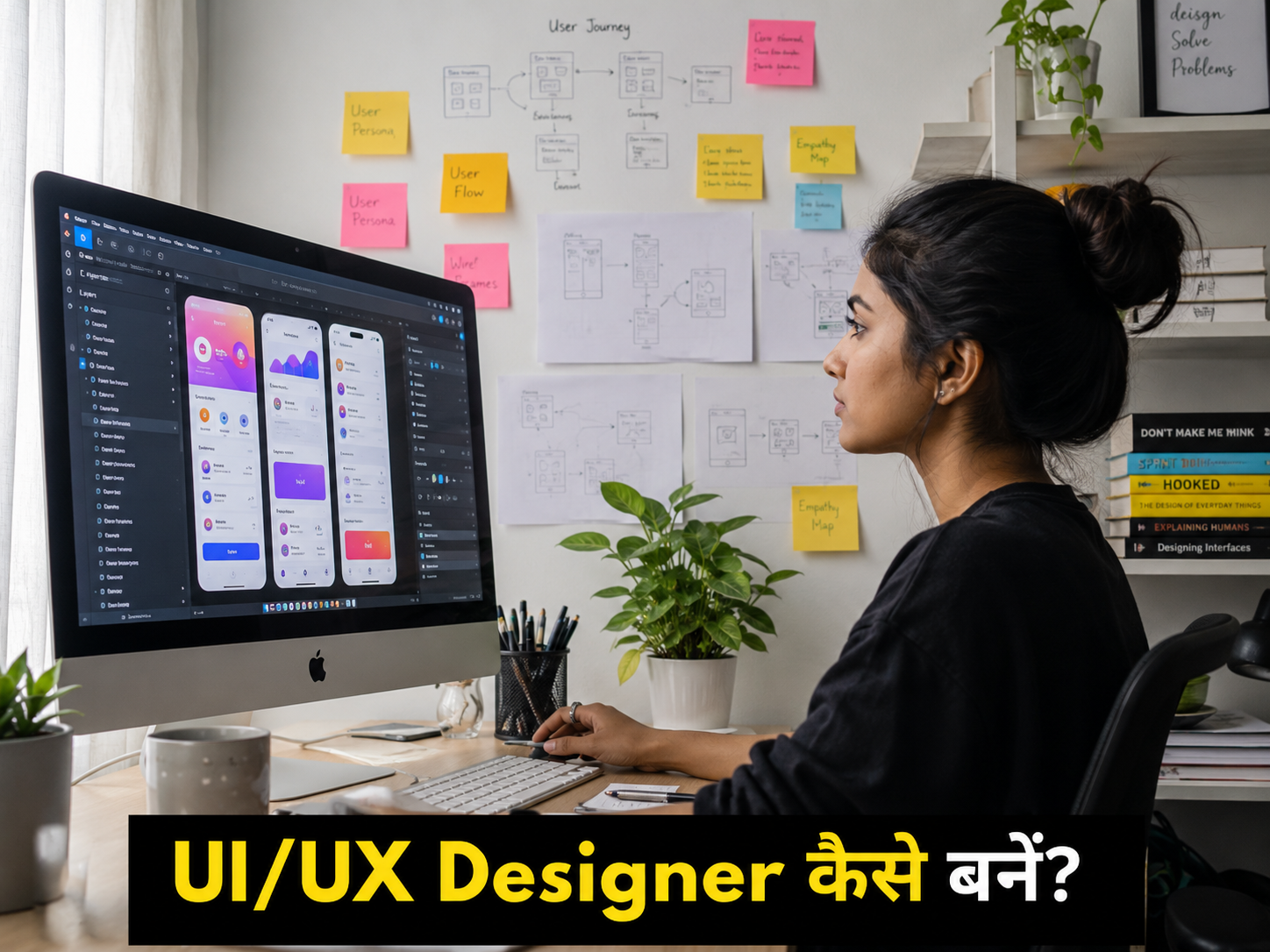
UX work में आते हैं — user research, user interviews, personas बनाना, user journey map करना, wireframes बनाना।
UI — User Interface
UI Design visual है। UX ने जो structure बनाया — उसे खूबसूरत और usable बनाना UI का काम है।
Colors, typography, buttons, icons, spacing, animations — यह सब UI का domain है।
एक simple analogy:
एक घर बना रहे हैं। UX architect है — rooms कहाँ होंगे, doors कहाँ होंगे, flow कैसा होगा। UI interior designer है — रंग क्या होंगे, furniture कैसा होगा, lighting कैसी होगी।
दोनों ज़रूरी हैं। दोनों अलग skills हैं। और 2026 में ज़्यादातर companies दोनों एक ही person से expect करती हैं — इसीलिए “UI/UX Designer” एक combined role बन गई है।
यह Field क्यों Choose करें — Numbers और Reality
India में 2026 में digital products — apps, websites, SaaS tools — बहुत तेज़ी से बढ़ रहे हैं। हर product को designers चाहिए।
लेकिन एक interesting observation है।Coding bootcamps हर जगह हैं। Data Science courses हर जगह हैं। लेकिन quality UI/UX designers अभी भी scarce हैं — खासकर वो जो user research और visual design दोनों कर सकते हैं।
इसका मतलब — competition कम है, opportunity ज़्यादा है।
इसके अलावा:
Coding ज़रूरी नहीं — यह उन लोगों के लिए बहुत बड़ा advantage है जो tech field में जाना चाहते हैं लेकिन programming से डरते हैं।
Creative satisfaction — यह एक ऐसा career है जहाँ आपका काम visually दिखता है। आप किसी app का design करते हैं और लाखों लोग उसे daily use करते हैं।
Remote work बहुत common है — Design tools cloud-based हैं। Collaboration online होती है। India में बैठकर international clients के लिए काम करना बहुत common है।
UI/UX Designer बनने के लिए क्या Background चाहिए
यहाँ एक refreshing truth है।
UI/UX design में कोई fixed background requirement नहीं है। इस field में आए लोगों की backgrounds देखें तो आपको मिलेंगे — psychology graduates, fine arts students, engineers जो design में shift हुए, और ऐसे लोग जिन्होंने कभी कोई formal design education नहीं ली।
क्या helpful है:
Visual sense — रंगों, proportions, और aesthetics की basic समझ।
Empathy — दूसरों के perspective से सोचने की ability। UX research का core यही है।
Curiosity — “यह button यहाँ क्यों है?” जैसे सवाल पूछने की habit।
क्या ज़रूरी नहीं है:
Fine arts degree। Engineering background। Advanced coding। Photoshop expertise।
Tools जो सीखने होंगे
Figma — सबसे Important
2026 में Figma UI/UX का industry standard है। Almost सभी companies इसे use करती हैं। यह browser-based है, collaboration बहुत आसान है, और free tier में बहुत कुछ मिलता है।
Figma सीखना UI/UX career का सबसे ज़रूरी technical step है। अच्छी बात यह है कि यह बहुत intuitive है — 2-3 हफ्तों में basics आ जाते हैं।
Adobe XD
पहले popular था, अब Figma ने replace कर दिया है ज़्यादातर workflows में। लेकिन Adobe ecosystem के साथ काम करने वाली companies अभी भी use करती हैं।
Sketch
Mac only है। Apple और कुछ product companies use करती हैं। India में Figma ने इसे भी largely replace किया है।
Prototyping tools
Figma में ही basic prototyping होती है। Advanced के लिए InVision या Principle।
User Research tools
Maze, Hotjar, Lookback — user testing और research के लिए।
एक honest advice:
Figma पर master बनो। बाकी tools secondary हैं। Employer पूछते हैं “Figma आता है?” — यही सबसे common question है।
Skills जो Actually Hire करवाती हैं
Tools से ज़्यादा important हैं skills। और यहाँ बहुत से beginners confuse होते हैं।
User Research
Users से बात करना, उनकी problems समझना, data collect करना और उससे insights निकालना। यह UX का heart है। Surveys, interviews, usability testing — इन सबकी practical understanding।
Wireframing और Information Architecture
किसी screen का basic structure बनाना — बिना colors और visuals के। सिर्फ boxes और text। यह UX thinking को represent करता है।
Visual Design
Color theory, typography, grid systems, spacing — यह UI के core skills हैं। यह “taste” नहीं है, यह learnable principles हैं।
Prototyping
Static designs को clickable prototypes में convert करना ताकि stakeholders और users actually experience कर सकें।
Design Systems बनाना
Consistent components, styles, और guidelines। बड़ी companies में यह बहुत valuable skill है।
Communication और Presentation
यह underrated skill है। Designer को अपने decisions explain करने आने चाहिए — “मैंने यह button यहाँ क्यों रखा, यह color क्यों choose किया।” Design decisions को data और reasoning से justify करना।
👉 यह भी पढ़ें: Cloud Engineer कैसे बनें? AWS, Azure, Salary और Career Guide (2026)
Portfolio — जो Job दिलाता है
UI/UX में degree या certificate से ज़्यादा portfolio matter करता है।
यह सच है कि एक NIFT graduate जिसके पास weak portfolio है, एक self-taught designer से पीछे रह सकता है जिसके 3 solid case studies हैं।
Portfolio कैसा होना चाहिए:
Case studies — सिर्फ final designs नहीं। पूरी process दिखाएँ। Problem क्या था, research कैसे की, wireframes कैसे बने, decisions क्यों लिए, final result क्या था।
3-4 deep case studies 10 shallow projects से बेहतर हैं।
Beginner के लिए Projects:
Redesign किसी existing app का जो आपको लगता है बेहतर हो सकती थी। Clearly explain करें original की problems और आपका solution।
Fake company के लिए एक product design करें। जैसे — “एक छोटे शहर के किसान के लिए weather और mandi price app।”
Accessibility redesign — किसी website को visually impaired users के लिए redesign करें।
UX Case Study format follow करें — problem, research, design process, final solution, और learnings।
Best Courses और Resources
Free:
Google UX Design Certificate (Coursera पर, Financial Aid से free) — सबसे comprehensive beginner course है। 6 महीने में foundation बन जाता है।
Figma’s Official Tutorials — Figma की official YouTube channel बहुत अच्छी है।
Nielsen Norman Group Articles — UX industry के leaders। यह articles पढ़ना ज़रूरी है।
AJ&Smart YouTube Channel — Design thinking और UX process पर excellent free content।
Paid:
Interaction Design Foundation — Monthly subscription (~$10-15) में unlimited UX courses। Quality बहुत high है।
CareerFoundry UX Program — Structured bootcamp with mentorship।
Udemy Courses — ₹500-1500 में solid courses। “Complete Web & Mobile Designer” popular है।
India Specific:
Designers Academy — India-based, Hindi में कुछ content भी है।
Topmate.io — Indian designers से 1:1 mentorship sessions।
Step-by-Step Learning Path
पहले दो महीने — Foundation।
Figma सीखें। Google UX Design Certificate शुरू करें। रोज़ किसी app को critically analyze करें — “यह button यहाँ क्यों है? यह flow confusing क्यों लगता है?”
तीसरे और चौथे महीने — Practice।
अपना पहला project start करें। किसी real problem को choose करें — अपने आसपास के लोगों से बात करें, उनकी digital problems ढूंढें। Wireframes बनाएं, iterate करें, final design करें। Behance और Dribbble पर share करें।
पाँचवें और छठे महीने — Portfolio।
दो-तीन solid case studies तैयार करें। Portfolio website बनाएं — Notion, Webflow, या simple portfolio sites पर। LinkedIn profile update करें। Design communities join करें।
सातवें महीने से — Job Hunt।
Internships के लिए भी apply करें — India में UX internships अच्छी learning देती हैं। Referrals seek करें। Freelance projects से start करें।
Salary — Honest Picture
| Role | Experience | India (Annual) | USA (Annual) |
|---|---|---|---|
| Junior UI/UX Designer | 0-1 साल | ₹3-7 लाख | $55,000-$80,000 |
| UI/UX Designer | 1-3 साल | ₹7-15 लाख | $80,000-$110,000 |
| Senior Designer | 3-6 साल | ₹15-30 लाख | $110,000-$160,000 |
| Lead Designer | 5-8 साल | ₹30-55 लाख | $150,000-$200,000 |
| Design Manager/Director | 8+ साल | ₹55 लाख – ₹1.5 करोड़ | $180,000-$280,000 |
Freelancing Reality:
India में experienced UI/UX freelancers ₹2,000-₹15,000 per hour charge करते हैं। International clients के लिए $30-$150 per hour possible है।
Top Employers:
Flipkart, Swiggy, Zomato, Razorpay, CRED, Meesho — India की product companies।
Infosys Design Studio, TCS Design, Wipro Design — IT companies के design arms।
Consulting firms — Deloitte Digital, BCG Design, McKinsey Design।
जो कोई नहीं बताता — Dark Side of UX
Design सुनने में glamorous लगता है। लेकिन कुछ realities हैं जो beginners को shock करती हैं।
Stakeholders हमेशा आपसे agree नहीं करेंगे।
आप research-backed decision लेंगे। Manager कहेगा “CEO को यह color पसंद नहीं है।” यह frustrating है — और यह industry में बहुत common है। Politics और design दोनों को navigate करना सीखना पड़ता है।
Design by Committee होती है।
अक्सर final product वो नहीं होता जो आपने design किया था। बहुत से opinions, बहुत से revisions, बहुत से “क्या यह blue की बजाय green हो सकता है?”
UX Research को often skip किया जाता है।
Companies कहती हैं UX important है, लेकिन deadlines तंग होती हैं तो research cut होती है। “बस design बना दो” सुनना पड़ता है।
Imposter Syndrome intense है।
Dribbble और Behance पर इतना beautiful work है कि नए designers अपना काम compare करके discouraged हो जाते हैं। Remember — वो highlight reel है, रोज़ का काम नहीं।
यह सब जानने के बाद भी अगर यह field interesting लगे — तो यह आपके लिए है।
FAQs
Q1. क्या UI/UX Design के लिए Drawing आनी चाहिए?
नहीं। Digital design tools use होते हैं, हाथ से drawing नहीं। Basic sketching wireframes के लिए helpful है लेकिन artistic talent ज़रूरी नहीं है। Logical thinking और empathy ज़्यादा important हैं।
Q2. UI/UX और Graphic Design में क्या फर्क है?
Graphic Design visual communication के लिए है — posters, logos, branding। UI/UX specifically digital products के लिए है — apps और websites। UI/UX में user research और usability का dimension है जो graphic design में नहीं होता।
Q3. क्या Non-Design Background से UI/UX में आ सकते हैं?
बिल्कुल। यह field diverse backgrounds से लोगों को welcome करती है। Psychology background UX research में help करती है। Engineering background technical constraints समझने में। Writing background content design में।
Q4. Figma सीखने में कितना समय लगता है?
Basic operations 1-2 हफ्तों में। Intermediate level — components, auto-layout, prototyping — 1-2 महीने। Advanced — design systems, variables — 3-4 महीने। Practice जितनी ज़्यादा, उतना fast।
Q5. Portfolio में कितने projects होने चाहिए?
Quality over quantity। 3 well-documented case studies जिनमें process clearly दिखे, 10 finished designs बिना process के ज़्यादा effective हैं। Recruiters case studies पर ज़्यादा time देते हैं।
Q6. क्या UX Designer को coding आनी चाहिए?
ज़रूरी नहीं, लेकिन helpful है। HTML/CSS की basic understanding — क्या technically possible है और क्या नहीं — यह जानना developer के साथ collaboration को बेहतर बनाता है। Full coding नहीं चाहिए।
Q7. India में UI/UX की demand कैसी है?
बहुत अच्छी और बढ़ती हुई। Startups, product companies, IT firms — सब designers hire कर रहे हैं। लेकिन एक observation — India में “UI Designer” की demand ज़्यादा है pure “UX Researcher” से। दोनों skills रखना सबसे valuable है।
Q8. Freelancing कब शुरू करें?
जब portfolio में 2-3 solid projects हों। शुरुआत में छोटे local businesses के लिए free या discounted काम करें — reviews और experience के लिए। फिर Upwork और Fiverr पर profile बनाएं।
Design को Experience करना शुरू करें — अभी
यहाँ एक exercise है जो आज, अभी कर सकते हैं।
अपना favorite app खोलें। कोई भी — Instagram, Paytm, Amazon।
5 मिनट उसे critically देखें। क्या आसान लगा? क्या confusing था? क्या कोई feature है जो आप ढूंढते रहे हों? कोई screen जो cluttered लगी?
यही UX thinking की शुरुआत है। Design देखने का नज़रिया — “यह क्यों ऐसा है, और बेहतर कैसे हो सकता था” — यह develop करना ही आधी journey है।
बाकी tools, courses, और portfolio — यह सब बाद में आते हैं। पर यह नज़रिया? यह आज से शुरू होता है।
👉 यह भी पढ़ें: AI Course Free में कैसे करें? Top 10 Free Courses
References:
- Google UX Design Certificate — Coursera
- Figma Official Learning Resources
- Nielsen Norman Group — UX Research
- Interaction Design Foundation
- Dribbble — Design Inspiration
- Behance — Portfolio Platform
About the Author