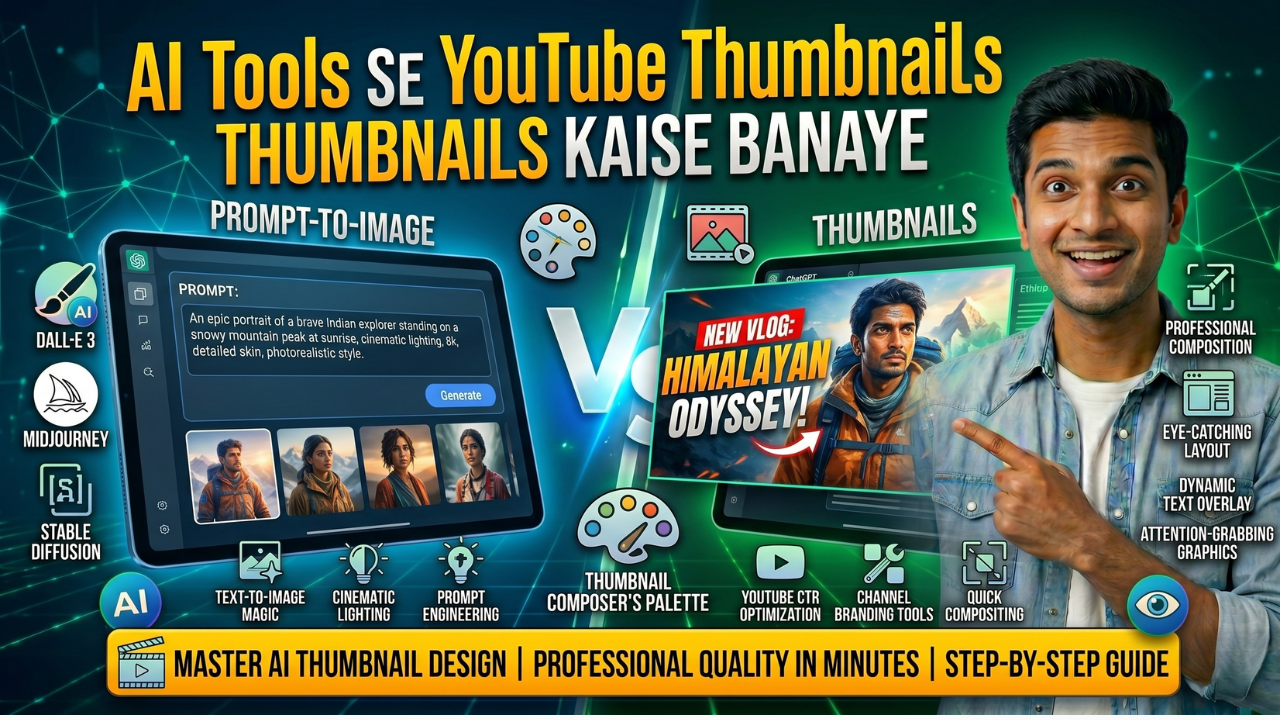
YouTube par success ka simple rule hai: pehle click, phir content. Research kehti hai ki lagbhag 90% viewers sirf thumbnail dekh kar decide karte hain ki video dekhni hai ya skip maarni hai. Matlab aapka content chahe kitna bhi awesome ho, agar thumbnail weak hai… views udhar hi khatam.
Problem? Professional thumbnail designer hire karna mehenga hai, aur khud Photoshop seekhna time‑consuming aur complicated. Yahin par game change karte hain AI tools. Ab aap bina design skill, bina Photoshop, sirf kuch minutes mein professional, scroll‑stopping thumbnails bana sakte ho — woh bhi almost free.
Is Blog mein main wohi exact tools aur step‑by‑step process share karunga jo main khud apne YouTube channel ke thumbnails ke liye use karta hoon, taaki aap bhi aaj se apne thumbnails ko next level pe le jaa sako.
Ek Achhe YouTube Thumbnail Mein Kya Hona Chahiye?
Sabse pehle basics clear karna zaroori hai. Ek high‑performing YouTube thumbnail mein kya‑kya hona chahiye?
- Bold, readable title text – jo chhoti mobile screen par bhi clearly padhai de.
- Bright, contrasting colors – taaki aapka thumbnail feed ke beech mein pop kare, blend na ho jaye.
- Strong emotion wala human face – research kehti hai ki human face aur clear expressions wale thumbnails zyada click hote hain.
- Clear focal point – ek aisa main subject ya element jisme viewer ki nazar turant atak jaye.
- Correct size – ideally 1280×720 pixels, jo YouTube ka recommended resolution hai.
Jab yeh saare elements tick ho jate hain, tab aapke thumbnails ke click hone ke chances automatically badh jate hain. Ab inhi principles ko dhyan mein rakhte hue dekhte hain kaunse AI tools aapko yeh sab cheezein seconds mein achieve karne mein help kar sakte hain.
Tool 1: Canva AI — Sabse Easy Option
Canva.com par free account banao. ‘YouTube Thumbnail’ template choose karo. Magic Design
feature se topic type karo — Canva automatically relevant templates suggest karega. Apna title text
add karo bold font mein — Canva ke free fonts mein ‘Anton’, ‘Bebas Neue’, ‘Impact’ best hain
thumbnails ke liye. Background ke liye Text to Image feature use karo — apna scene describe karo
aur AI image generate kar dega. Canva mein hi sab edit karo aur 1280×720 PNG mein download
karo. Poora process 15-20 minutes mein ho jaata hai.
Tool 2: Adobe Express — Professional Quality Free
Adobe ka free tool Adobe Express (express.adobe.com) mein specifically YouTube thumbnail
templates hain jo genuinely professional lagte hain. Adobe ka design system itna polished hai ki free
mein bhi output premium lagta hai. Text effects, gradients, aur shapes sab available hain. AI-powered
background removal bhi free mein milti hai — apni photo upload karo, background remove karo, koi
bhi background lagao.
Tool 3: Microsoft Designer — AI Powered
designer.microsoft.com bilkul free hai aur Microsoft ka DALL-E powered image generation use karta
hai. Prompt type karo jaise: ‘YouTube thumbnail for a video about ChatGPT tips, vibrant blue and
yellow colors, tech style, bold text space on left side.’ AI ek complete thumbnail design suggest kar
deta hai. Yeh tool particularly background aur visual elements generate karne mein excellent hai.
Tool 4: Thumbnail.ai — Specifically Thumbnails Ke Liye
thumbnail.ai ek dedicated YouTube thumbnail tool hai jisme AI suggest karta hai ki konsa thumbnail
style aapke channel niche ke liye best perform karega. Yeh similar channels ka data analyze karta
hai. Free tier mein limited uses milte hain lekin worth trying hai for initial ideas.
Step By Step — Perfect Thumbnail Banana
Step 1: Video ka main point decide karo — thumbnail usi pe focused hogi
Step 2: Canva open karo, YouTube Thumbnail (1280×720) select karo
Step 3: Background — AI generated image ya solid/gradient color choose karo
Step 4: Bold title text add karo — max 6-7 words, large font
Step 5: Apni photo add karo (background remove karke) — emotion clear dikhao
Step 6: Contrasting color ka accent element add karo — arrow, circle, highlight
Step 7: Mobile preview check karo — small size mein readable hai?
Step 8: PNG format mein download karo
Colors Jo YouTube Par Best Perform Karte Hain
Research ke according kuch color combinations thumbnails mein best CTR (Click Through Rate)
dete hain. Red + Yellow — urgency aur excitement create karta hai (MrBeast style). Blue + White —
trustworthy aur professional lagta hai (educational channels). Black + Neon Green/Yellow — tech aur
gaming channels ke liye best. Orange + White — energy aur enthusiasm dikhata hai. Apne niche ke
according experiment karo aur YouTube Analytics mein CTR track karo.
Read More:
Google Gemini vs ChatGPT: Kaun Jeetega 2026 Mein?
Canva AI Kaise Use Kare — Free Mein Pro Designs Banao
AI Se Resume Kaise Banaye Jo 100% ATS Friendly Ho
About the Author